Windows setup
Disable Defender, Firewall, SmartScreen, CFG, Core Isolation, and UAC.
Download this setup helper (Alternative link) to make PC setup easier. This is not the cheat — the cheat is in another file.
- Most products work on original Windows 10/11 Pro.
- Launch chances on Enterprise, Home, Lite, modified, or pirated Windows are near zero.
- Every step is required. If the issue remains after you finish all guides, contact support.
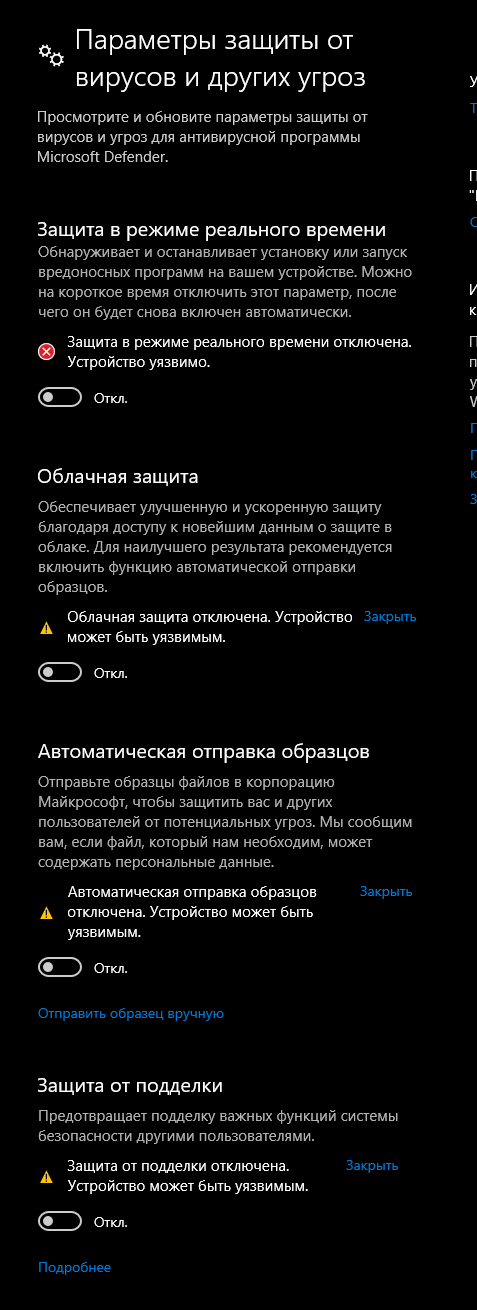
Virus & threat protection
Path: Settings -> Update & Security -> Windows Security -> Virus & threat protection
Turn off Real-time protection.
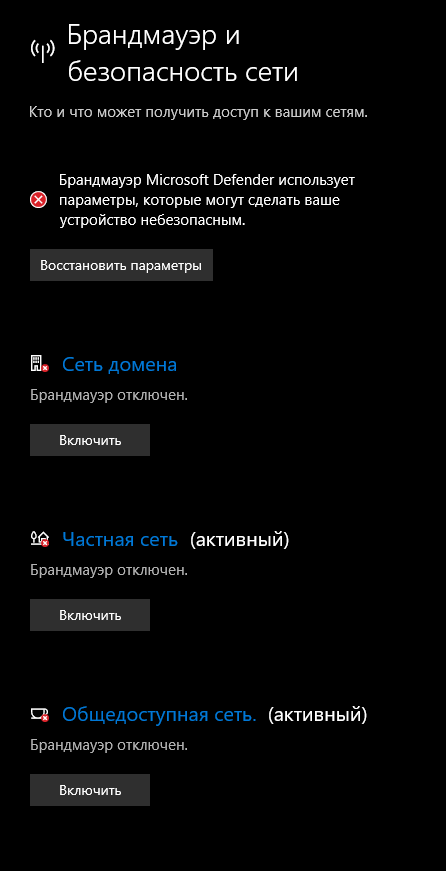
Firewall & network protection
Path: Settings -> Update & Security -> Windows Security -> Firewall & network protection
Turn off Microsoft Defender Firewall for all network profiles.
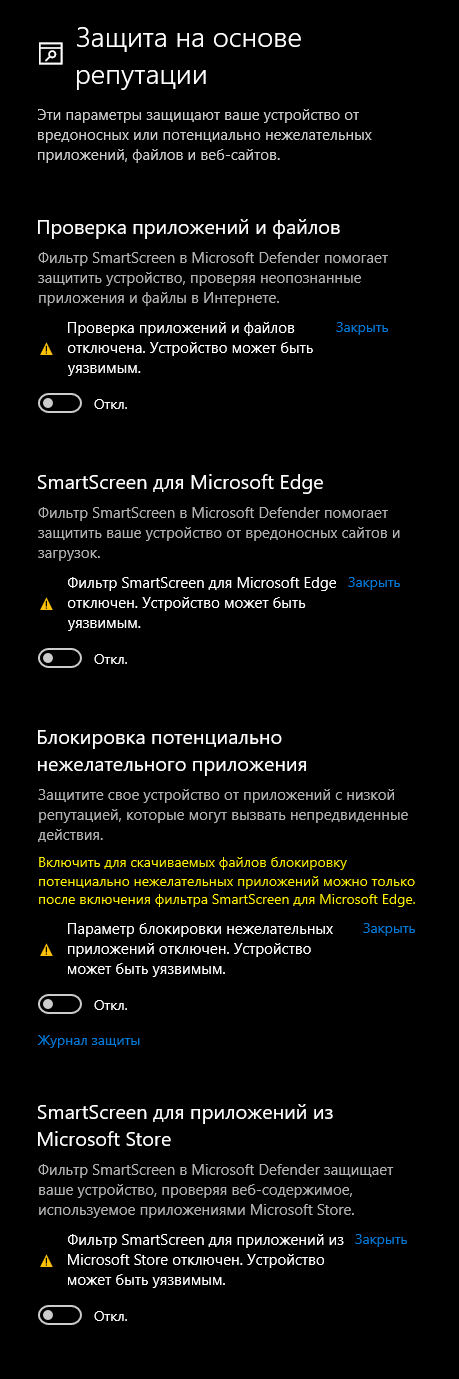
Reputation-based protection
Path: Settings -> Update & Security -> Windows Security -> App & browser control -> Reputation-based protection settings
Turn off Check apps and files (SmartScreen).
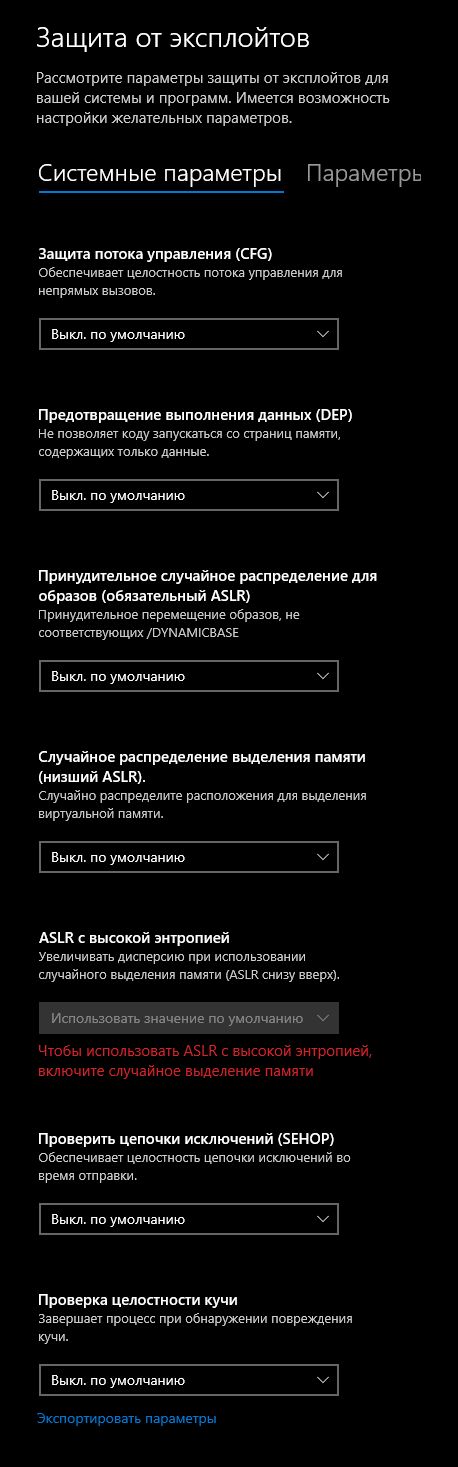
Exploit protection
Path: Settings -> Update & Security -> Windows Security -> App & browser control -> Exploit protection settings
Under System settings, set Control flow guard (CFG) to Off by default.
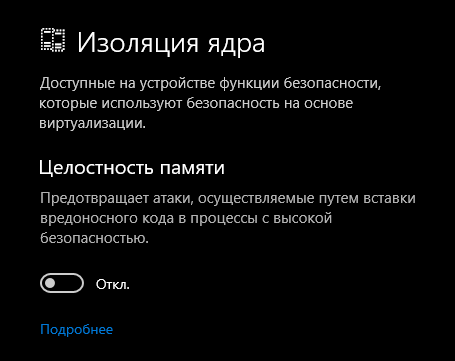
Core isolation
Path: Settings -> Update & Security -> Windows Security -> Device security -> Core isolation details
Toggle Memory integrity to Off.
UAC (User Account Control)
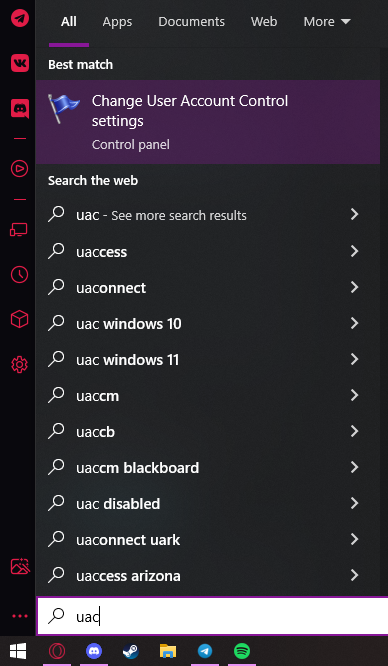
Path: Start menu -> type UAC -> open Change User Account Control settings
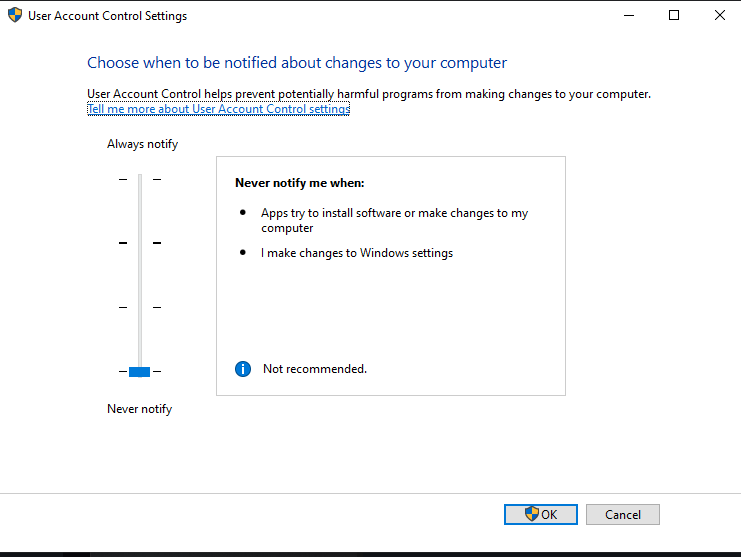
Move the slider all the way down to Never notify and click OK.
DControl
Download DControl only after completing all steps above.
- Download DControl.
- Run it as Administrator.
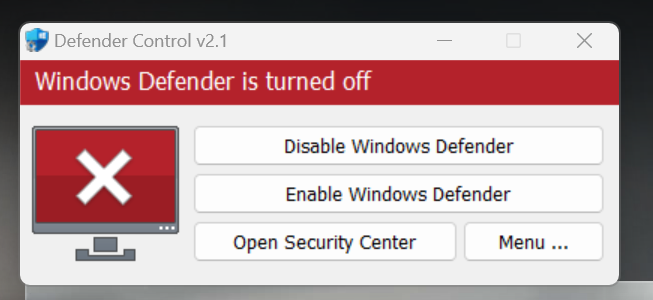
- Click Disable.
- Confirm the status shows Windows Defender is turned off:
Still stuck? Open support and send the product, your order number and the text of the error.