Stealth cheat for Rob Run
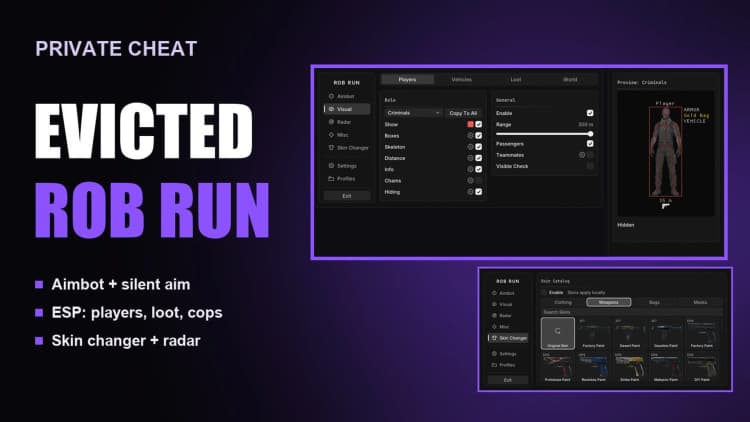
Stealth cheat for Rob Run: Aimbot, Player boxes, Skeleton ESP, Guard ESP, Vehicle ESP, Radar, No flash and Free camera
By buying you accept the Terms of service. The key goes to the email you enter at checkout.
- 01Pay by card, crypto or from your balance
- 02You get the key at once: on the payment page and in your account
The period starts at the first launch, not at payment. One key works on one computer. With a technical problem we cannot fix, you can ask for a full refund.
By tapping Buy you accept the Terms of service.
What is inside
Description
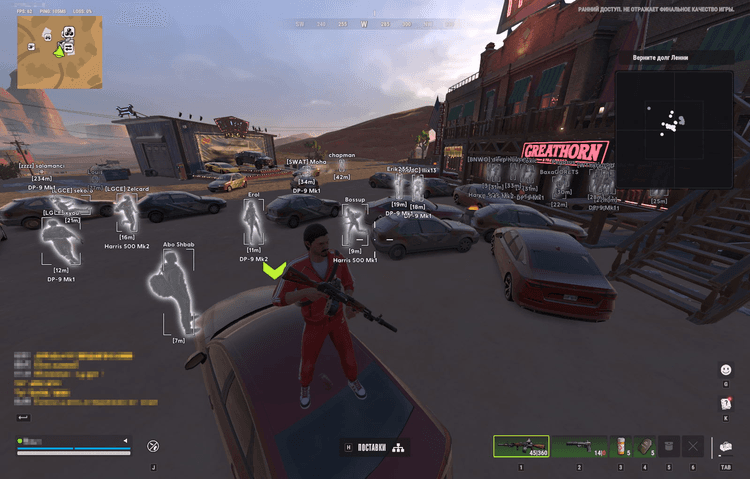
Ready to dominate Rob Run and take total control of the map? This private Stealth cheat gives you the ultimate advantage with powerful aimbot precision and advanced wallhack features like Player boxes and Skeleton ESP. You will always see enemies, guards, and vehicles before they spot you, turning every match into a smooth victory. Never get caught off guard again while hunting for loot and resources. With crystal-clear world ESP, radar display, and custom configs right at your fingertips, this hack ensures you always stay one step ahead of the competition and rule the game.
- WindMouse aim
- Bone selection
- Visibility check
- FOV circle
- Target highlight
- Custom crosshair
- Player boxes
- Skeleton ESP
- Player names
- Player roles
- Health bars
- Armor display
- Held items
- Grenade ESP
- Grenade timers
- Off-screen arrows
- Vehicle ESP
- Guard ESP
- Camera ESP
- Alarm ESP
- Defense panels
- Cargo workbenches
- Reactor ESP
- Crate ESP
- Cargo exchangers
- Laundering tables
- Radar display
- World items
- Loot bags
- Resource ESP
- Rarity filter
- Container ESP
- ATM ESP
- Cash ESP
- Safe ESP
- Plant ESP
- No flash
- No smoke
- No fog
- Custom sky
- FOV override
- Fast container search
- Free camera
- Battle mode
- Menu languages
- Config sharing
System requirements
- Processor
- Intel & AMD
- OS
- Windows 10/11
- Client
- Steam
- Window mode
- Borderless
- Spoofer
- No
- USB flash drive
- Not needed
Setup and help
- How a purchase works · From payment to the key in your account.
- What the statuses mean · Six statuses and what to do with each.