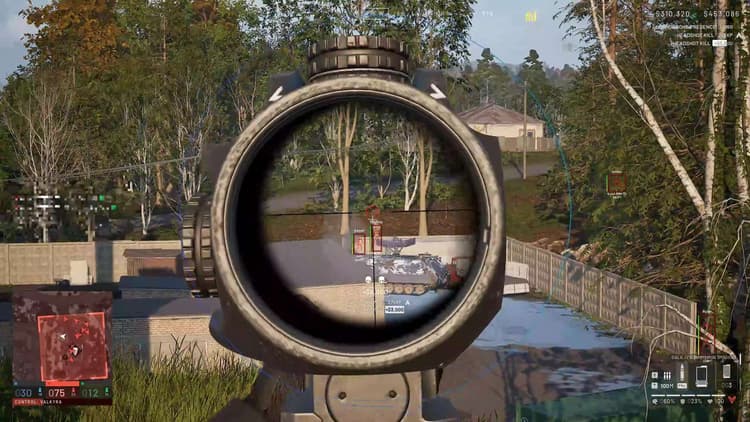
Phoenix cheat for WarDogs
Phoenix cheat for WarDogs: aimbot, wallhack and ESP to dominate every match
By buying you accept the Terms of service. The key goes to the email you enter at checkout.
- 01Pay by card, crypto or from your balance
- 02You get the key at once: on the payment page and in your account
The period starts at the first launch, not at payment. One key works on one computer. With a technical problem we cannot fix, you can ask for a full refund.
By tapping Buy you accept the Terms of service.
What is inside
Description
Ready to take over WarDogs and crush the competition? This private Phoenix cheat changes the game completely, letting you see player boxes and use wallhack to spot enemies through obstacles before they even know you are there. Use the powerful aimbot and silent aim to secure every kill with ease. Every match turns into an absolute victory when you have full control of the battlefield with advanced ESP and tactical features. Dominate the server like a true pro gamer and leave no chance for your rivals.
- Silent aim
- Teleport bullet
- Bone selection
- Target priority
- Aim prediction
- Smooth aiming
- Sticky target
- Visibility check
- No recoil
- No spread
- No weapon sway
- Instant bullet
- Instant ADS
- Recoil compensation
- Grenade prediction
- Artillery calculator
- Auto gun alignment
- Incoming shell warning
- Player boxes
- Skeleton ESP
- Health bars
- Player names
- Weapon display
- Aiming at me alert
- Off-screen arrows
- Player chams
- Player glow
- Hand chams
- Vehicle ESP
- Mine ESP
- Drone ESP
- Grenade warning
- Missile warning
- Auto flares
- Objective markers
- Helicopter markers
- Emplacement ESP
- Supply drops
- Radar display
- Radar loot markers
- Game map markers
- Loot ESP
- Loot filters
- Corpse loot
- Free camera
- Third person
- FOV changer
- Super zoom
- Fullbright
- No fog
- Infinite stamina
- Instant interact
- Weather presets
- Config profiles
System requirements
- Processor
- Intel & AMD
- OS
- Windows 10/11
- Client
- Steam
- Window mode
- Borderless
- Spoofer
- No
- USB flash drive
- Not needed
Setup and help
- How a purchase works · From payment to the key in your account.
- What the statuses mean · Six statuses and what to do with each.